Catch a changed terminal screen#
On this page
This demonstration uses the published v0.4.0-rc.3 runner and Playtestr’s repository-owned mission-control target. The defect is deliberately seeded. The capture is an operator-run Windows amd64 result, not an upstream bug, independent adoption, or a new three-host compatibility claim.
The interaction#
The reviewed menu spec waits for the menu, presses ArrowDown and Enter, checks diagnostics text and compares its screen with a committed baseline:
{
  "version": 1,
  "command": ["./bin/demo"],
  "width": 64,
  "height": 16,
  "steps": [
    {"expect": "> Deploy preview"},
    {"key": "ArrowDown"},
    {"expect": "> Run diagnostics"},
    {"key": "Enter"},
    {"expect": "Diagnostics: all systems healthy."},
    {"snapshot": "diagnostics.txt"}
  ]
}
This compact excerpt omits the spec’s descriptive name. The capture script copies that interaction and its baseline into a fresh artifact directory, changing only the executable path to its freshly built demo.
Actual pass, failure and recovery#
The normal target passed with runner exit 0. Rebuilding the target with -X main.diagnosticsSuffix=REGRESSION left the spec and baseline unchanged. The positive diagnostics-text assertion still passed, but the full screen comparison failed with runner exit 1 and snapshot_mismatch. Its actual diff was:
--- expected: diagnostics.txt
+++ actual: diagnostics.txt
@@ -6,4 +6,4 @@

 Use arrow keys and Enter. Press q to quit.

-Diagnostics: all systems healthy.
+Diagnostics: all systems healthy.REGRESSION
Rebuilding the normal target restored a pass with runner exit 0. The three captured reports confirmed target cleanup; hashes confirmed the spec and snapshot were unchanged. Failure evidence also rendered as an offline HTML report and an Actions-style Markdown summary. The local summary does not prove a hosted Actions upload.
Subsequent hosted pass/failure/recovery verification confirmed that the example workflow keeps its check red on this defect while rendering HTML, writing the job summary and uploading evidence. Those runs used the repository-owned demo on Ubuntu 24.04; the image below remains the original local Windows capture.
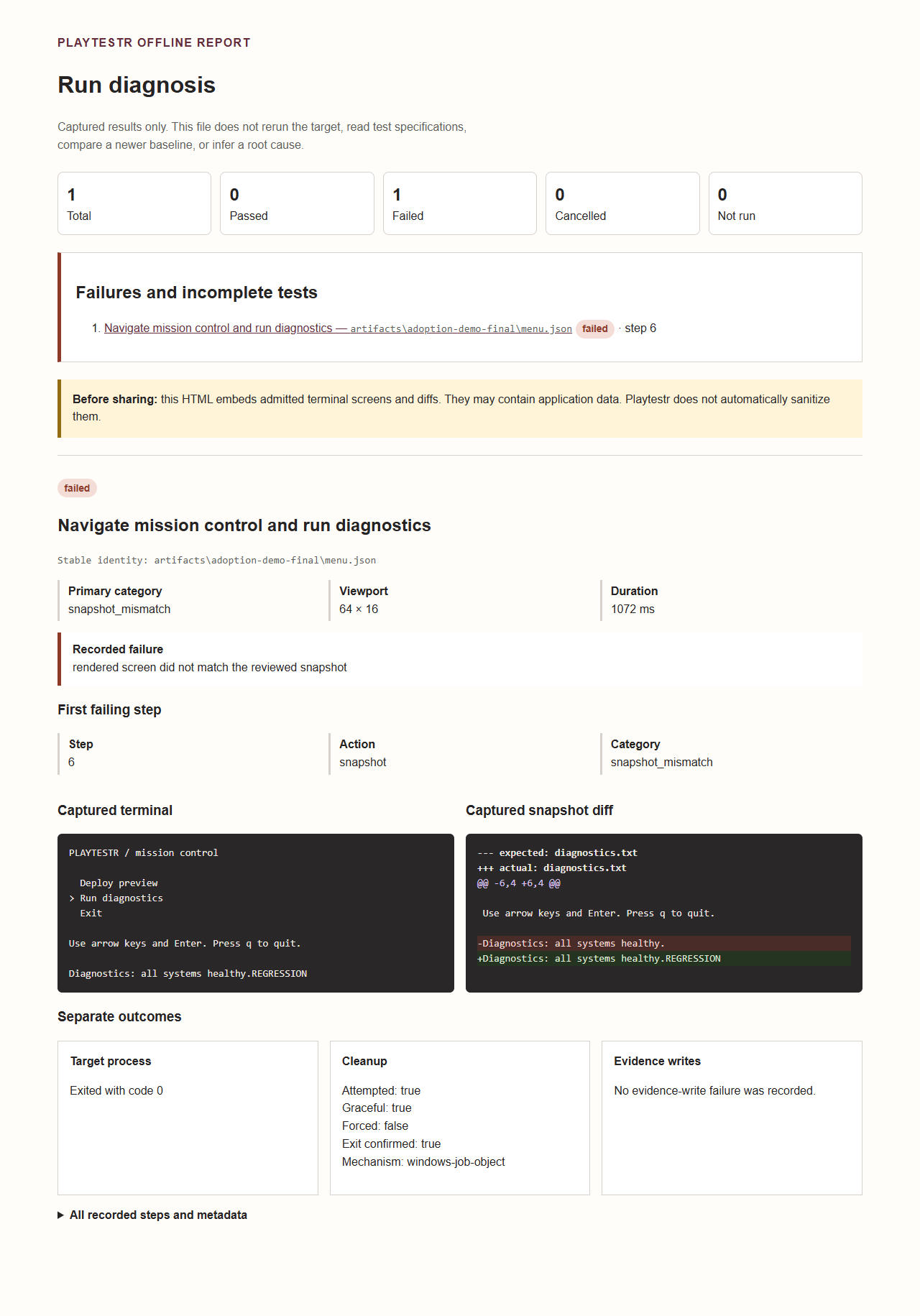
This unedited screenshot was captured from the final seeded-defect HTML using local Chrome. PNG SHA-256 is recorded in the preparation record. The diff and outcome text above provide the same essential information without the image.
Reproduce from source#
Install the exact prerelease using the checksum-verified installation guide . Clone the Playtestr source containing the capture script. Go is needed to build this example target; Python runs the capture/summary glue, while the Playtestr runner is a standalone binary.
python scripts/ci/capture_demo.py --runner /absolute/path/to/playtestr --output artifacts/adoption-demo
On Windows, pass a quoted path to playtestr.exe. The output directory must be fresh. The script preserves earlier evidence, bounds subprocess execution, saves all commands’ logs, generates capture.json and transcript.txt, and verifies pass 0 / seeded failure 1 / recovery 0. Full evidence is under the pass, seeded-defect and recovery directories; open each report.html or summary.md. It never updates a reviewed baseline.
The 5 October local capture used runner SHA-256 531804dcb5f29bdcc9d9e2650b1be86e083eedd34c4545ebff1654f05d33f16a, extracted from the previously downloaded rc.3 Windows archive whose SHA-256 was rechecked as b159cd8f638f231c278b485565663dfe8fe323f97e3edf0c86fe7077239a406f. Exact target/spec/report hashes and retained failed attempts are indexed in the preparation record
.
A 45-second walkthrough#
This is a presentation script over actual recorded results, not a live browser PTY or a claim that execution took 45 seconds:
| Time | Show | Say |
|---|---|---|
| 0–10 s | The small spec and selected menu row | “Wait for the menu, press Down and Enter, then compare the rendered screen.” |
| 10–20 s | Normal report, exit 0 | “The reviewed target passes.” |
| 20–35 s | Seeded build, exit 1 and the diff above | “This injected output change passes the text wait but fails the screen snapshot.” |
| 35–45 s | Recovery report, exit 0 | “Restore the target; the same test and baseline pass again.” |
The text and diff on this page are the accessible static presentation. A live video export is optional; no video or animation has been fabricated. For a test in your own repository, follow writing tests and CI installation . Screenshots compare text, not styles; test trusted targets and review captured output before sharing.